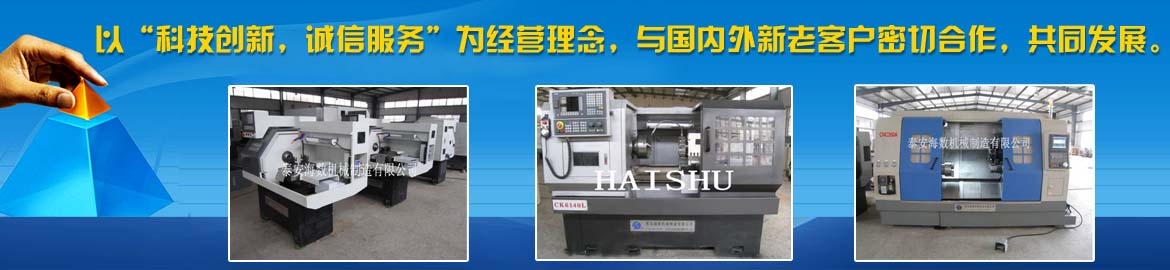
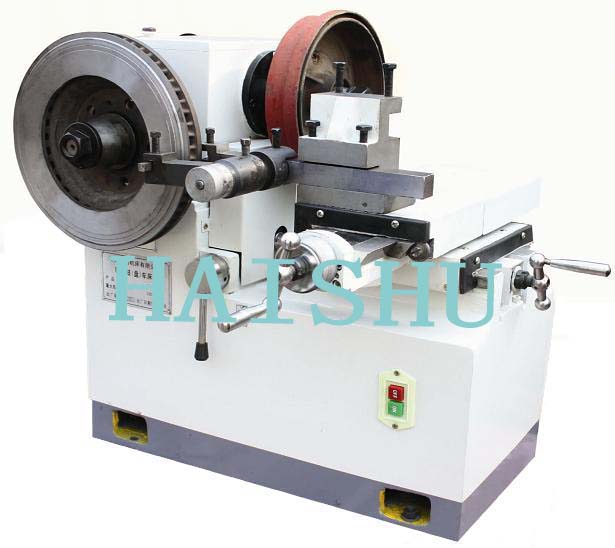
Warm congratulations "HAISHU" brand CNC machine tool exports reached 40 countries. They are: the United States, Britain, Germany, Sweden, Italy, Russia, Turkey, New Zealand, Colombia, South Korea, Bahrain, South Africa and other countries. "HAISHU" brand has been known at home and abroad.
CNC lathe alarm codes are diagnostic messages issued by the CNC system. Different systems (FANUC, Siemens, GSK, etc.) have their own alarm code systems.
CNC lathe alarm codes are diagnostic messages issued by the CNC system. Different systems (FANUC, Siemens, GSK, etc.) have their own alarm code systems. When an alarm occurs, it is recommended to follow the process of "read the code first → check the manual → troubleshoot by system." This article compiles the most common types of CNC lathe alarm codes and troubleshooting methods to help you quickly locate and resolve issues.
1. What Are Alarm Codes?
CNC lathe alarm codes are error messages issued by the CNC system through the display or indicator lights when an abnormality is detected. Each alarm code corresponds to a specific fault type and is the core clue for troubleshooting.
According to the trigger source, alarms can be divided into two major categories:
System alarms: Triggered by the CNC system itself, usually related to programs, parameters, and servo control.
Machine alarms: Triggered by sensors or PLC on the machine side, usually related to mechanical/electrical components such as turrets, air pressure, and limit switches.
Haishu Machinery Reminder: Different brands of CNC systems (FANUC, Siemens, GSK, KND, etc.) have different alarm code numbers and meanings. Before troubleshooting, please first confirm which system your machine uses.
2. Common Alarm Code Categories and Troubleshooting Methods
1. Program Error Alarms (P/S Alarms)
This is the most common type of alarm, usually caused by programming format errors.
Alarm Code
Meaning
Possible Cause
Solution
PS001
TH Parity Error
Parity error detected when reading from input device
Check program input device and cable
PS011
Cutting Speed is 0
Cutting feed rate F code is set to 0
Check if the F command in the program is set correctly
PS021
Illegal Plane Selection
Incorrect G17~G19 plane selection
Check the plane selection command in the program
PS061
No P or Q Commanded
Missing P or Q address in G70/G71/G72/G73 cycle
Check the format of the canned cycle program block
PS086
DR Signal Off
I/O device ready signal is cut off
Check I/O device power and connecting cable
GSK system program alarms are also common, such as E273 (Variable value is negative), E278 (Disabled command in G73 cycle body), etc. The troubleshooting method is similar—first check the program syntax and parameter settings.
2. Over-travel Alarms (OT Alarms)
Triggered when the axis motion exceeds the set soft limit or hard limit.
Typical codes: FANUC system OT050 (X-axis over-travel), OT051 (Z-axis over-travel); Siemens system alarm 2030.
Troubleshooting method:
Confirm the over-travel direction: Check which axis is over-traveling through the system diagnosis screen.
Manual release: Switch the mode to manual (JOG) or handwheel mode, press and hold the over-travel release key (or press RESET), and move the turret in the opposite direction.
Parameter adjustment: If over-travel is caused by improper parameter settings, modify the soft limit parameters. For FANUC system, you can change parameter 0700 LT1X1 to +99999999 and then return to the reference point.
Hardware check: Check whether the hard limit switch is damaged or misaligned.
3. Servo Alarms (SV Alarms)
Servo system alarms involve core components such as motors, drives, and encoders.
Alarm Code
Meaning
Troubleshooting Direction
SV0400
Servo Overload
Check if mechanical transmission is blocked, cutting load is too large
SV0401
Excessive Error
Check servo gain parameters, mechanical clearance
SV0436
Encoder Abnormality
Check encoder cable connection and encoder itself
408/409
Servo Ready Signal Abnormality
Check servo amplifier power and signal lines
231885 (Siemens)
Encoder Drive-CLiQ Communication Fault
Check if cable plug is loose, pins are deformed
4. Turret/Tool Turret Alarms
The turret is a high-frequency fault component on CNC lathes. Alarms mainly involve tool change timeout, locking failure, etc.
Alarm Code (GSK)
Meaning
Solution
E331
Turret Release Signal Undefined
Check parameter P408_d6 setting
E334
Turret Locking Timeout
Check locking signal or extend turret counterclockwise rotation time
E364
Turret Release Timeout
Check if locking signal is always active
700022 (Siemens)
Turret Motor Overload
Check if turret mechanical part is stuck
5. Emergency Stop Alarm (ESP)
Emergency stop alarms are usually caused by the emergency stop button being pressed or related circuits being disconnected.
Troubleshooting method:
Confirm whether the emergency stop button is pressed; rotate clockwise to release.
If the button is not pressed but the alarm occurs, check whether the internal contacts of the emergency stop button are stuck or the connecting wires are short-circuited.
Check whether the safety door switch, limit switch, and other safety circuits are normal.
3. General Troubleshooting Process for Alarms
Regardless of the type of alarm, it is recommended to follow this standardized process:
Six Principles of Troubleshooting (industry standard): First external then internal, first mechanical then electrical, first static then dynamic, first common then specific, first simple then complex, first general then special.
4. Frequently Asked Questions (FAQ)
Q1: Where can I view CNC lathe alarm codes?
The operation panel display will directly show the alarm code, usually with an "ALM" indicator (FANUC system) or the word "Alarm" (Siemens system). Some systems allow you to view a brief description of the code by pressing the "Help" key on the panel.
Q2: Are FANUC and GSK alarm codes interchangeable?
No, they are not interchangeable. FANUC alarm codes are prefixed with PS, SV, OT, etc., while GSK codes start with E. When troubleshooting, you must refer to the Operation Manual or Maintenance Manual for the corresponding system.
Q3: Can I force a reset and continue machining after an alarm?
It is not recommended. Forcing a reset for certain alarms (such as servo overload or over-travel) may cause equipment damage or safety accidents. You should troubleshoot the cause first and confirm safety before resuming machining.
Q4: What does it mean when the alarm code says "Please turn off the power"?
This usually indicates that the system has detected a parameter change or hardware status change that requires a restart to reset. Follow the prompt to turn off the power, wait a moment, and then turn it back on.
Q5: What CNC system does Haishu Machinery's CNC lathe use?
Haishu Machinery's CNC lathes can be equipped with mainstream CNC systems such as FANUC, Siemens, GSK, and KND according to customer requirements. If you encounter alarm issues, you can call the national service hotline at 0538-8606989. Haishu Machinery's technical team provides remote diagnosis and on-site support services.
5. Need Professional Support?
Alarm code troubleshooting is only the first step in fault handling. If you encounter the following situations, it is recommended to contact the equipment manufacturer directly:
The alarm code cannot be found in the manual
The alarm still occurs repeatedly after troubleshooting according to the standard process
Core components such as servo drives and encoders need to be replaced
The machine exhibits abnormal vibration or noise but no alarm is displayed